Everything you need to know about how CareStreamAI works.
From uploading your first policy to your CQC inspection, a complete walkthrough of every feature, how it works, and why it matters for your care setting.
Up and running in under an hour.
There is no integration project, no IT department involvement, and no lengthy rollout. Three steps and your whole team has access.
Upload your policy library, staff handbook, and any supporting documents from the admin dashboard. PDF, Word, and plain text are all accepted. There is no limit on file size or number of policies.
Most care settings upload between 20 and 80 policy documents. The upload takes minutes.Each document is read, chunked into meaningful sections, and indexed for semantic search. Key facts such as named individuals, contact numbers and local procedures are extracted and made searchable.
Processing typically completes in under five minutes per document, automatically.Add your staff and they get the hub on their phone, with email as a backup. They can immediately ask questions, read policies and start their training, in the language they think in, with voice input when typing is harder.
Most care settings are fully live within 45 minutes of starting the setup process.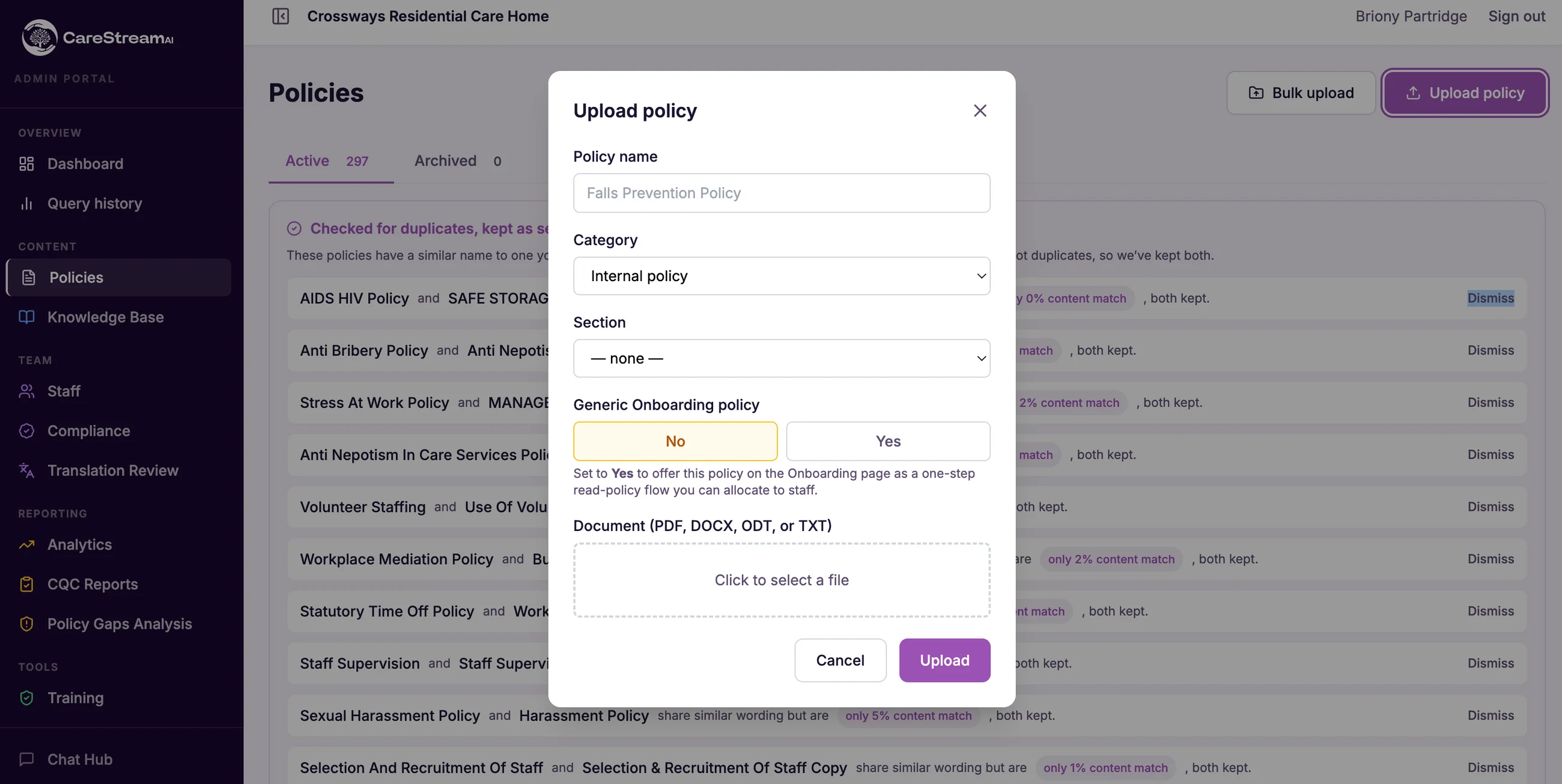
How the AI generates answers.
CareStreamAI uses a technique called Retrieval-Augmented Generation (RAG). In plain English: it finds the right part of your policy, reads it, and writes the answer from that content only.
The question is converted into a mathematical representation and matched against your indexed policies. The most relevant sections are retrieved, even when the exact wording of the question differs from the policy.
The retrieved policy sections are assembled into a context window, along with any conversation history from the current session and the relevant regulatory framework.
The AI is instructed to answer using only the provided context. It cannot draw on general knowledge or training data. If the answer is not in your documents, it says so.
Every response cites the exact policy and section used. The full interaction, including question, answer, policy cited, language, channel and timestamp, is logged to the audit trail.
The AI is given your policy content and told: answer from this, and only this. It has no access to the internet, no access to other organisations’ policies, and no access to its general training data when answering. If a question cannot be answered from your documents, it tells the staff member and flags the gap for your review.
One hub on their phone. Email and voice when it suits.
The hub is where your team lives day to day: their policies, their training and instant answers, in one place. Email and voice give the same quality of response, drawn from the same library, with the same audit trail.
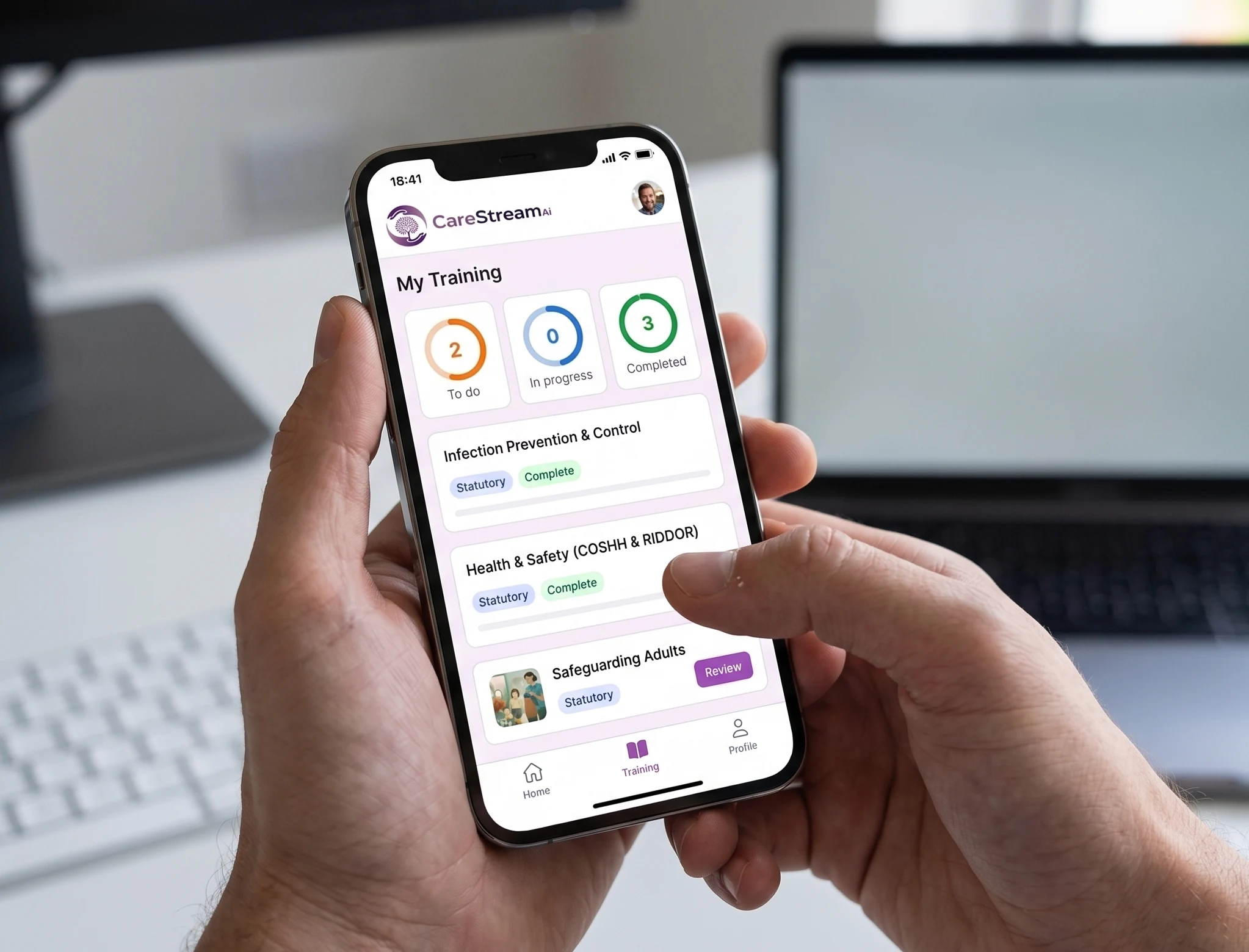
The hub is the one place for your whole team. Staff open it to ask a policy question, read a procedure, or complete a piece of training, all in the language they think in. The chat is conversational, so they can ask follow-ups within the same session and the system keeps full context. Reminders and new training arrive as notifications, so nothing gets missed.
- Policies, training and answers in one place
- Push notifications for reminders and new training
- Conversational follow-ups with full session context
- Voice input for hands-free questions mid-task
- Suggested follow-up questions after each response
- Works on any smartphone or desktop browser
Staff email your dedicated CareStreamAI address from any device. The system replies within 30 seconds. Replying to the response continues the conversation. The system reads the full thread and maintains context across multiple exchanges.
- No login and no app required, works from any email client
- Response arrives in the same email thread within 30 seconds
- Thread context maintained, reply to continue the conversation
- Useful for staff who prefer email or are on shift handover
Not everyone types quickly in their second language. Voice input lets staff speak their question naturally, mid-task and hands-free, in any language. The audio is transcribed, language-detected, and answered from your policies in the same language it was spoken.
- 60+ languages supported for voice input
- Transcription shown alongside the answer for transparency
- Same response quality as typed queries
- Logged identically, voice queries appear in the audit trail
What your team actually sees.
The same answer, the same citation, whichever way they ask.
- Ask in the hub app, by email or by voice, and the answer cites the policy section it came from
- Staff ask in their own language and get the answer back in it, across 60 or more languages
- Every answer is logged with who asked, what was cited and when, ready for the audit trail
- Training, inductions, audits and CQC prep live in the same hub, so there is one place to go
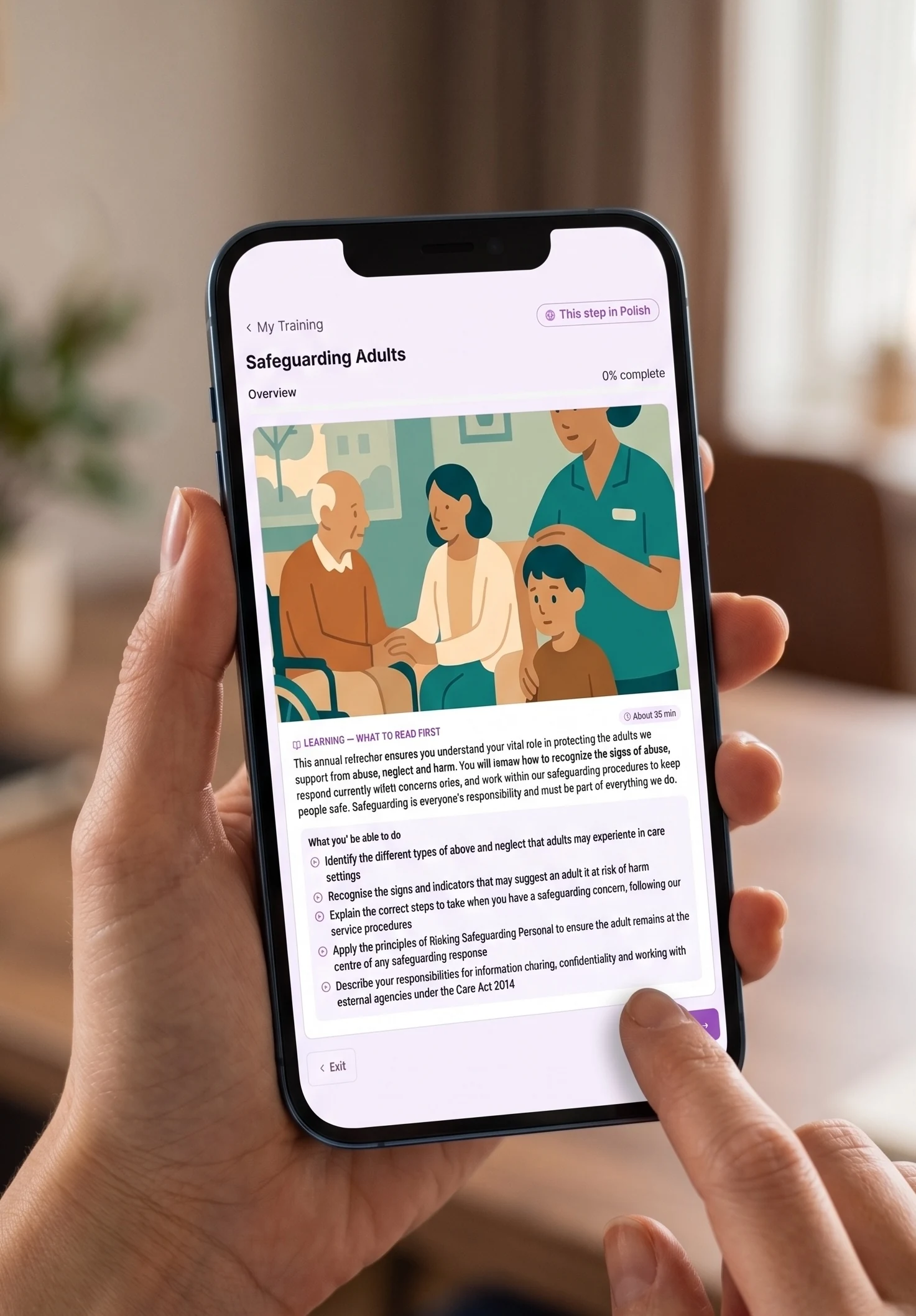
Training that lives in the same hub.
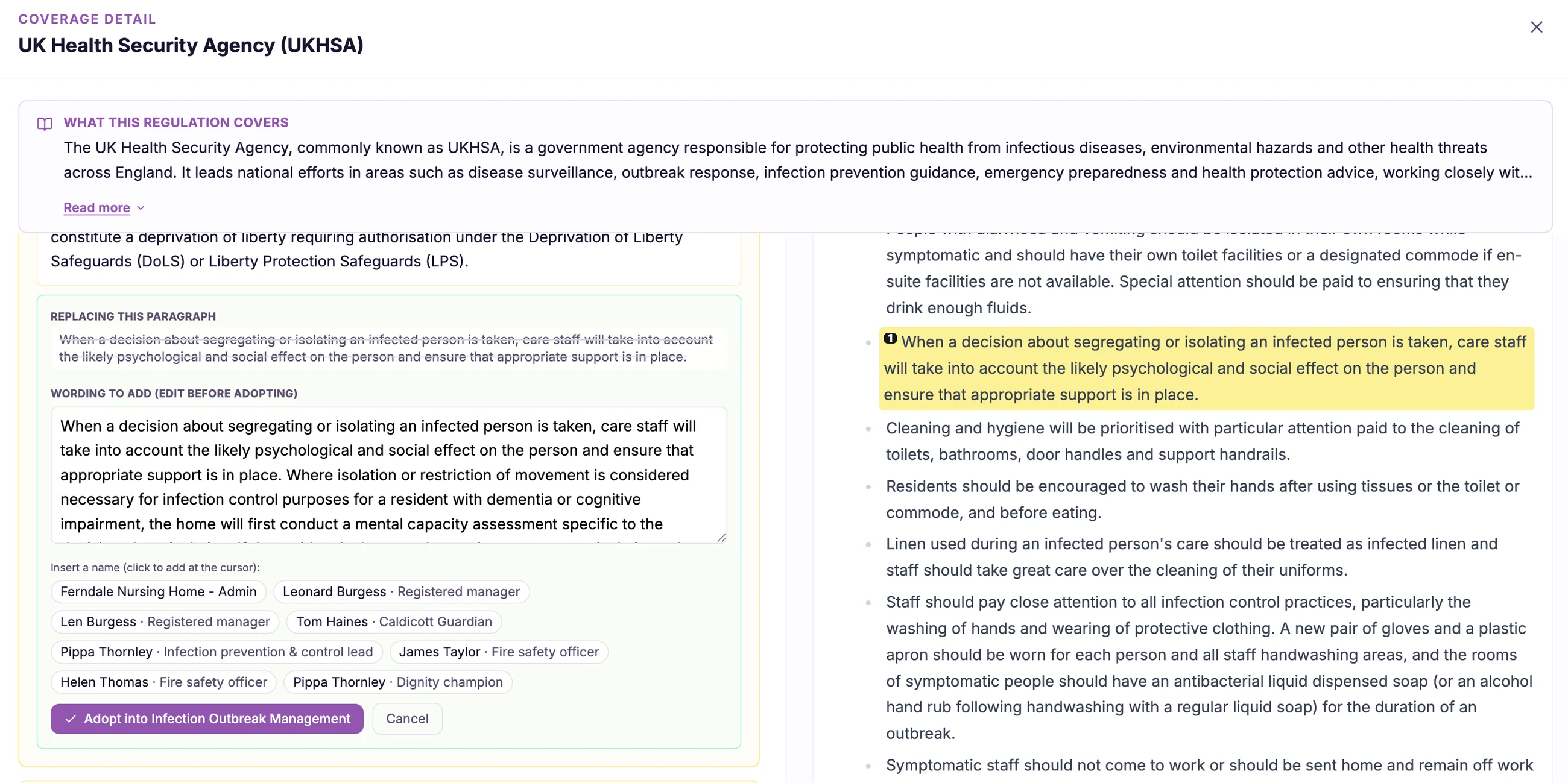
CareStream is not only about answering questions. It delivers your mandatory training and modules built from your own policies, in the hub your team already uses, in 60+ languages, with renewals tracked for you.
- Renewal reminders at 90, 30 and 7 days
- New training arrives as a hub notification
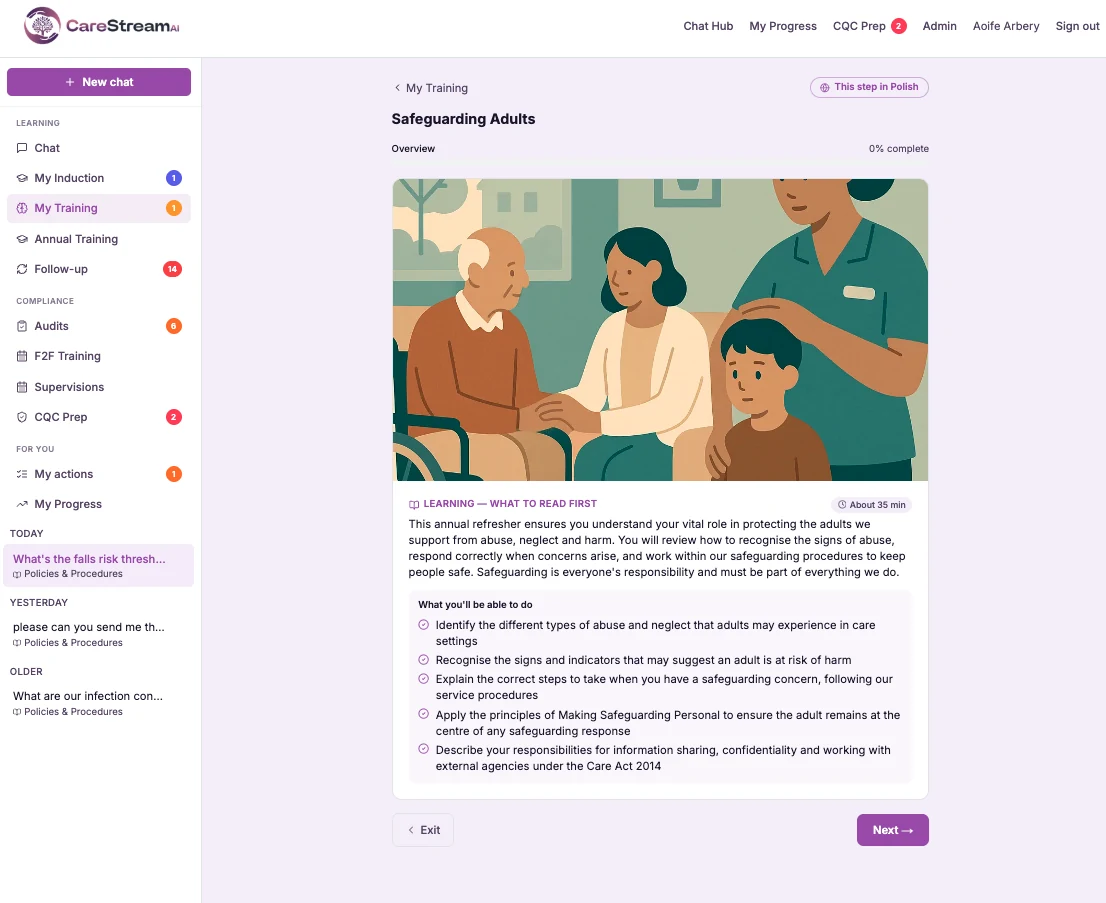
Every annual mandatory subject, ready to assign, from safeguarding to moving and handling.
Generate a module from your own policy documents, so it teaches your procedures, not generic content.
Each module teaches in short sections, applies a real care scenario, and finishes with an assessment.
A wrong answer triggers a short follow-up lesson and a fresh question, so the gap is closed.
60+ languages. Zero configuration.
Language detection is automatic and happens on every query. Staff do not select a language, toggle a setting, or use a special command. They simply ask their question, in the language they think in, and the answer comes back in the same language.
Responses are always generated from your English-language policies. The translation happens at the point of response, not at the point of upload. This means you maintain one authoritative English policy library and every language version is derived from it consistently.
The same question, six languages, one policy
- 🇵🇭Tagalog🇵🇭
Ano ang gagawin ko pagkatapos ng pagbagsak ng residente?
- 🇵🇱Polish🇵🇱
Co powinienem zrobić po upadku mieszkańca?
- 🇷🇴Romanian🇷🇴
Ce trebuie să fac după ce un rezident cade?
- 🇮🇳Hindi🇮🇳
निवासी के गिरने के बाद मुझे क्या करना चाहिए?
- 🇳🇬Yoruba🇳🇬
Kini mo yẹ ki n ṣe lẹhin ti olugbe ba subu?
- 🇸🇴Somali🇸🇴
Maxaan samayn karaa marka martida ay dhacdo?
All answered from the same Falls Policy, each in the language asked
All answered from the same Falls Policy, each in the language asked
Over 50 UK regulatory frameworks, pre-loaded.
Your internal policies don’t exist in isolation. They’re built on a foundation of UK law and regulation. CareStreamAI has over 50 regulatory frameworks pre-loaded so that when a staff member asks something that touches both your policy and an external requirement, the response explains how the two interact.
How it worksThe most relevant section of your own policy is found and used as the primary source for the response.
CareStreamAI identifies which of the 50+ pre-loaded frameworks apply to the question, including CQC, RIDDOR, MCA and GDPR, and adds that context.
The response explains both what your policy requires and what the law requires, including where they align, where they differ, and where your policy goes further.
A selection of included frameworks
- CQC Fundamental StandardsReg 9 to 20
- Health and Safety at Work Act 1974HSWA 1974
- GDPR and Data Protection Act 2018UK GDPR
- Mental Capacity Act 2005MCA 2005
- Care Act 2014 SafeguardingCare Act 2014
- RIDDOR 2013RIDDOR 2013
- Equality Act 2010EA 2010
- Control of Substances Hazardous to HealthCOSHH 2002
+ 42 additional frameworks included
Not just your policies. Your care setting, in detail.
CareStreamAI doesn’t just answer generic questions about policies. Because it reads your actual documents, it extracts the specific facts that make your service unique: named individuals, direct-dial numbers, shift arrangements and local procedures.
Upload your staff handbook, on-call rota, local infection control guidance, or any supporting document and it becomes immediately queryable. Staff get answers that reflect how your service actually operates, not how a generic care setting might.
- Named individuals and contact numbers from your rota and handbook
- Local procedures and site-specific instructions
- Staff handbook: HR policies, leave, disciplinary and onboarding
- Seeded knowledge never mixed with other tenants' data
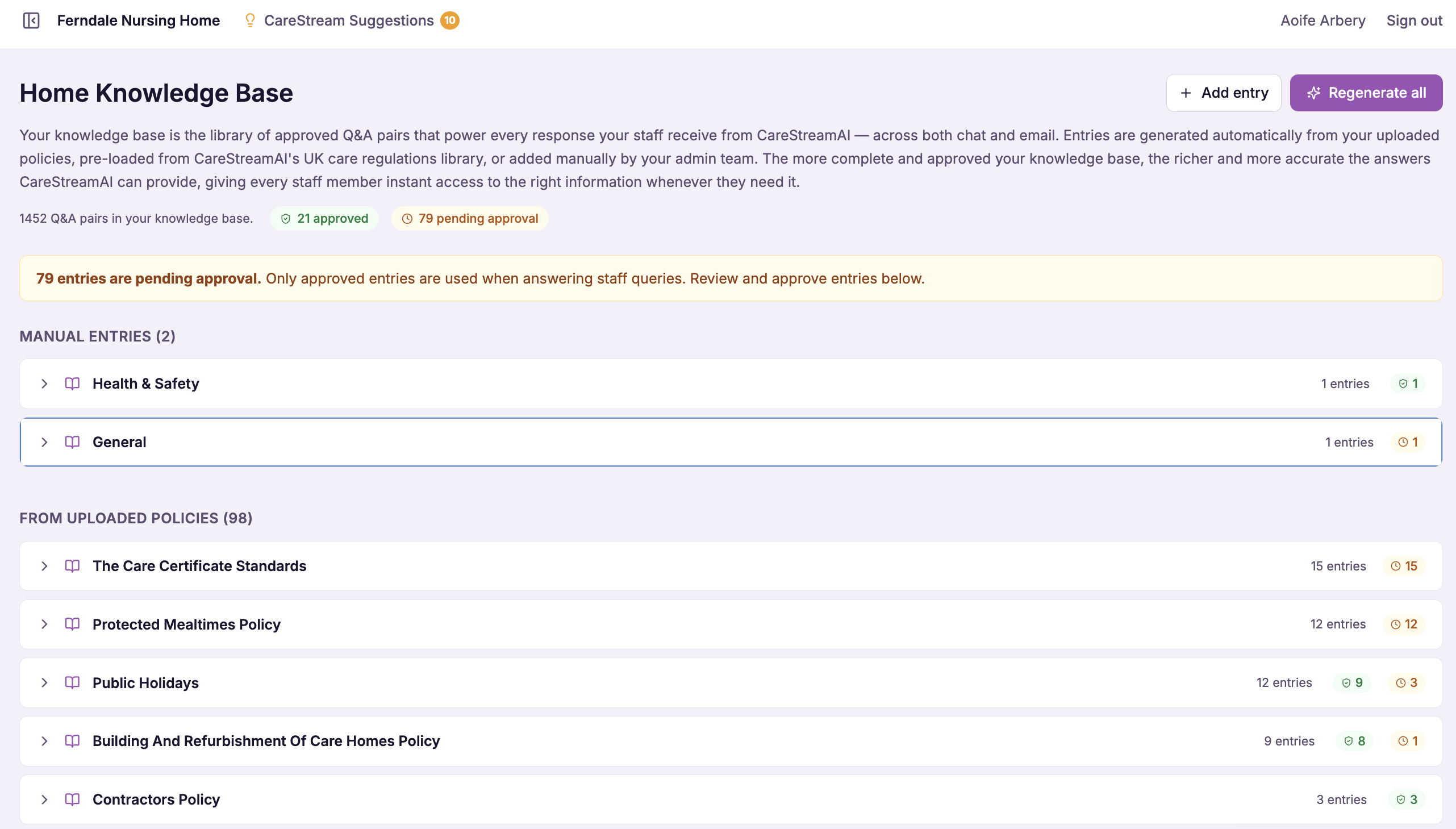
Find your gaps before CQC does.
Every time CareStreamAI cannot find an answer in your documents, it flags the query as a gap. Over time, patterns emerge: the same questions appearing repeatedly without policy coverage.
Your Policy Gap Report shows exactly which questions your staff are asking that your current policies don’t address, ranked by frequency. This is actionable evidence of where your policy library needs strengthening, surfaced before an inspection identifies it first.
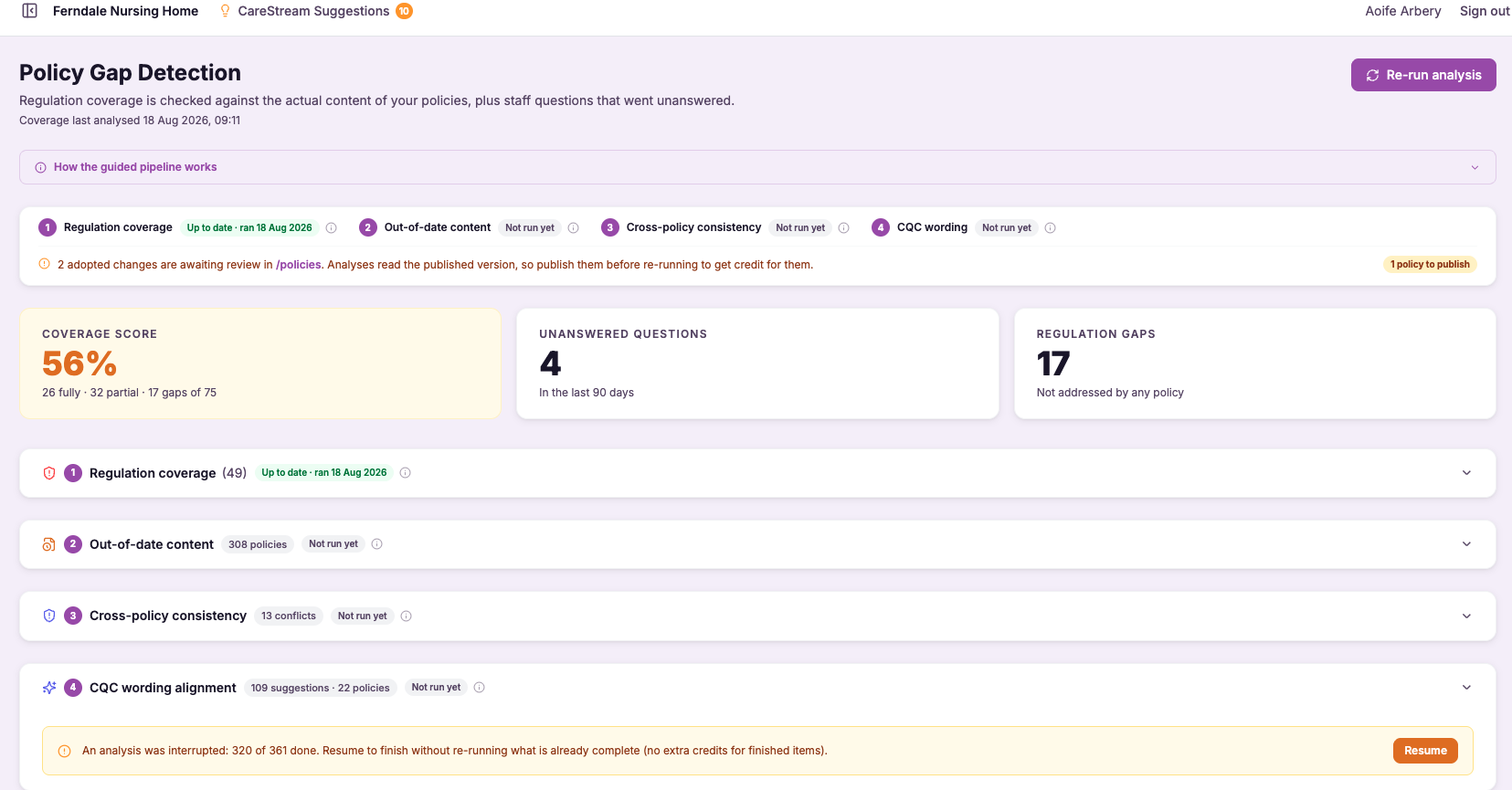
Every unanswered query is flagged immediately, not batched monthly.
The most commonly asked unanswered questions are shown first, so you fix the most impactful gaps.
A summary is compiled automatically and available for your manager review.
Gap resolution evidence is included as proof of continuous improvement.
Your compliance evidence builds automatically.
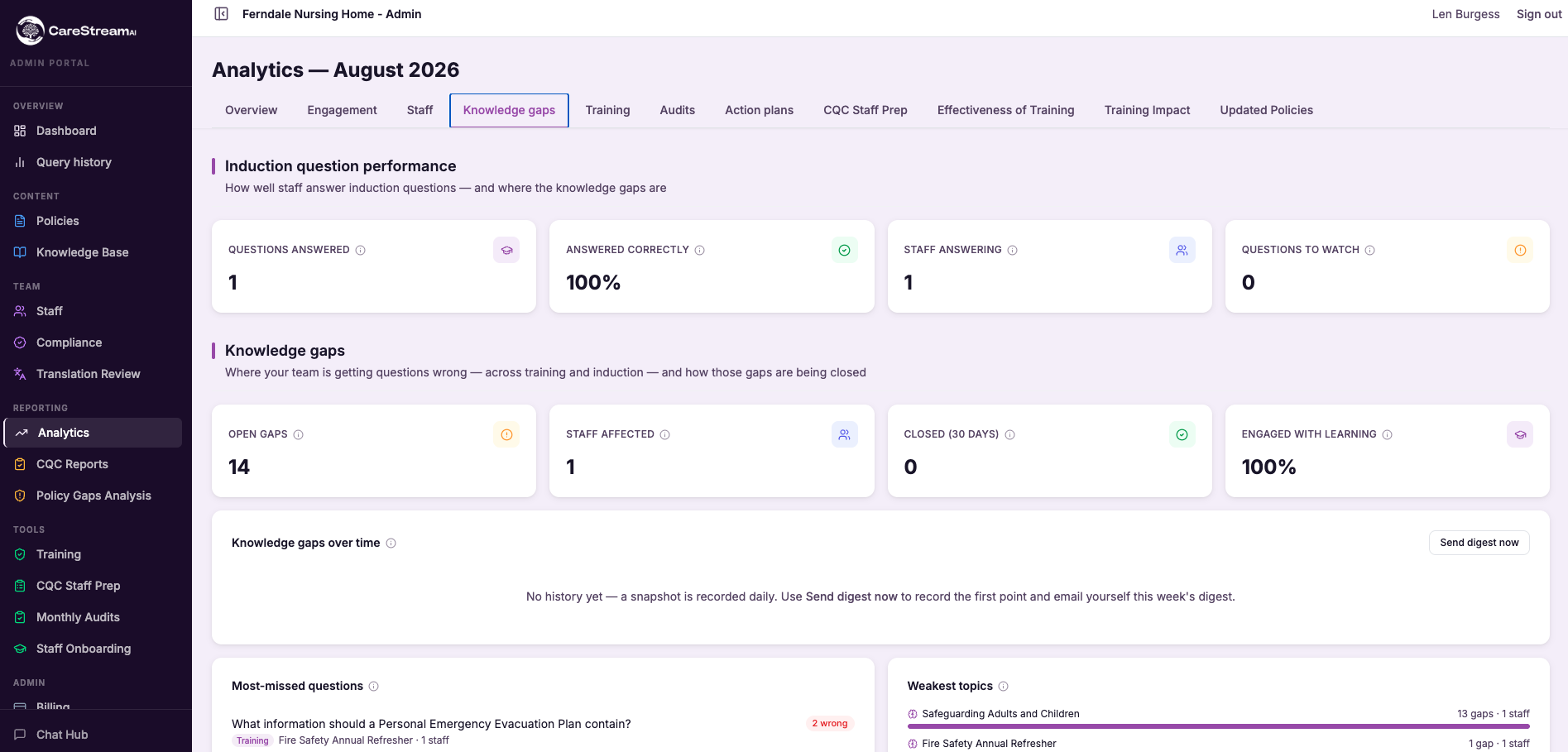
Every interaction with CareStreamAI is logged and structured. Your analytics dashboard and CQC Readiness Report are generated from this data continuously. There is nothing to compile manually.
Complete data separation between all organisations
AES-256 encryption for all stored documents and logs
Your documents are never used to train AI models
Available on Professional and Enterprise plans
See total queries, active staff, top policies accessed, busiest times, and channel breakdown (hub, email, voice), updated in real time.
Which languages your staff are asking in, how frequently, and which policies are being accessed across languages. CQC evidence of equitable access.
Which individuals are using the system, how often, and whether engagement changes after policy updates or training events.
Every query is stored: who asked, what they asked, which policy was cited, the full response, and the timestamp. Searchable and exportable.
A structured PDF covering policy access frequency, multilingual activity, staff engagement, gap identification and resolution, and version history. Ready for inspection.
Every version of every uploaded policy is retained. You can see which version was in use when any query was answered, which is important for post-incident review.
Your data stays yours.
Every tenant’s policy library is stored in a completely isolated environment. Your policies are never used to train any model, never shared with other organisations, and never accessible to anyone outside your account. Data is encrypted at rest and in transit. UK data residency is available on Professional and Enterprise plans.
Frequently asked questions.
How quickly can my care home get set up with CareStreamAI?
Most care settings are fully live within 45 minutes of starting the setup process. There is no IT department involvement or lengthy rollout, just three steps: upload your documents, let the AI process them, and add your staff.
What types of documents can I upload for care home policies and procedures?
You can upload your policy library, staff handbooks and any supporting documents in PDF, Word or plain text formats. There is no limit on file size or number of documents, and most care homes upload between 20 and 80 policy documents.
How does CareStreamAI help with care home audits?
Every answer the AI generates is cited back to the exact policy section and logged to an audit trail automatically. This means you have a clear, timestamped record of staff policy queries and responses, which supports your CQC inspection preparation.
Can care workers complete health and social care courses online through CareStreamAI?
Yes, staff can access carer courses online directly through the hub on their phone, including training relevant to elderly care and safeguarding in care homes. Courses are available in multiple languages, so carers can learn in the language they are most comfortable with.
Does CareStreamAI support domiciliary care policies and procedures as well as care homes?
Yes, the platform works for any care setting, including domiciliary care providers who need to manage policies and procedures for community-based staff. You simply upload your own documents and the AI answers questions based on your specific policies.
Will the AI ever give answers that are not based on my own care home policies?
No. CareStreamAI uses Retrieval-Augmented Generation, which means it can only answer using the documents you have uploaded. If the answer is not in your policies, it tells the staff member rather than drawing on outside information.
See it working with your own policies.
Book a 30 minute demo and we will show you CareStreamAI responding to real queries from your documents.